
Codex Pets
Browse Codex Pets
Discover custom pet packages for OpenAI Codex CLI and Claude Code. Copy install commands, browse community pets, and open source packages. 505 approved packages listed.

lulu
By helloergou
A tiny yellow capybara-like Codex digital pet named lulu.
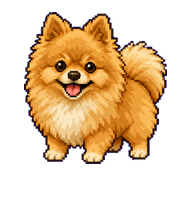
杨三宝
By MAQ
Yang San Bao is a friendly, kind, broad-hearted light-brown Pomeranian companion.
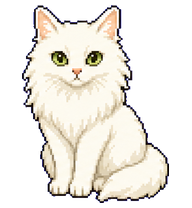

哆啦a梦
By antony
A cheerful blue-and-white cat-like robot pet inspired by the reference image.


Tom
By antony
A confident blue-gray chibi cat companion inspired by a classic mischievous cartoon cat.

Brian
By asas
A Codex pet based on Brian O Conner with black West Coast Choppers shirt, dark shorts, white socks, and black Converse shoes.

方小源 v2
By baigao
Q版方源本人形态的 Codex 宠物,按状态召出春秋蝉、逆流护身印、万年斗飞车、四元方悔血炼池。.

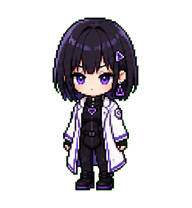

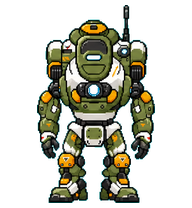




波吉
By raythunder
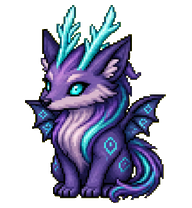
《国王排名》波吉化为 Codex 数字宠物风格的小王子,戴小皇冠、短披风、握细剑,神态温柔却坚毅。.





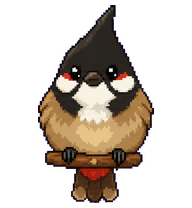
Bulby
By lilstrawberry
A tiny red-whiskered bulbul companion with a proud crest and warm fluffy body.

What Are Codex Pets?
Codex pets are virtual companions that live in your OpenAI Codex CLI terminal. Use /pet hatch to hatch a new pet, or install a custom pet package to personalize your coding companion. Custom Codex pets are defined by a pet.json file and a spritesheet.webp image — anyone can create and share one. Browse the gallery above to find community-made pets, copy the install command, and run it inside Codex to get your new companion.
Frequently Asked Questions
- How do I install a custom Codex pet?
- Copy the install command from any pet listing on this page, then run it inside your OpenAI Codex CLI session. The pet will replace your current companion.
- How do I hatch a Codex pet?
- Inside the Codex CLI, type /pet hatch to hatch a new pet from your available packages.
- How do I create a custom Codex pet?
- A Codex pet requires two files: pet.json (metadata and animation config) and spritesheet.webp (sprite frames). Host both in a public GitHub repo and submit it here for review.
- What do Codex pets do?
- Codex pets are animated companions visible in the Codex CLI sidebar. They grow, animate, and react as you code.