
Explorer les Codex Pets
Découvrez des packages de mascottes personnalisés pour OpenAI Codex CLI et Claude Code, copiez les commandes d'installation et explorez les packages open source.
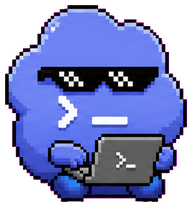
By windoser
A smug little Codex logo mascot wearing pixel shades and typing on a tiny laptop.
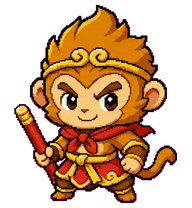
By jxnl
A compact Codex digital pet of Sun Wukong, the Monkey King, with a tiny golden headband, red-gold scarf, and short staff.
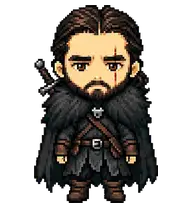
By claumarin
A tiny brooding northern ranger pet with black cloak energy and solemn snowy-hero vibes.
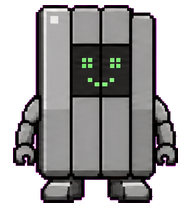
By justsomeone
A tiny folding block robot companion inspired by TARS, simplified into Codex digital pet style.

By sehjk
A giant glossy glass pitcher mascot filled with bright red drink, wholesome party-crasher energy, and 1980s cereal-commercial superhero confidence.

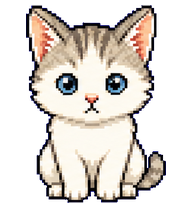
By brianchew
Miso, Brian’s blue-eyed white kitten companion with a pink nose and soft gray tabby cap markings.
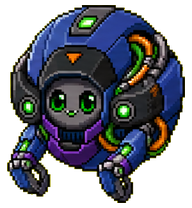
By Moonicker
A cute chibi sci-fi drone companion with blue-purple armor and glowing green optics.
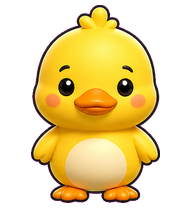
By Moonicker
A cute rounded 3D duck companion for calm workspace days.
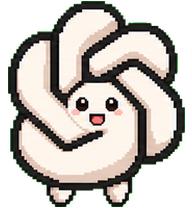

Ressources Codex Pets pour les workflows d’agents IA
Explorez les liens entre le hub Codex Pets, les Claude Skills spécialisées et les outils de développement open source.
Skill de workflow de codage IA
Explorez des workflows de codage IA avancés et la façon d’intégrer des packages de mascottes personnalisées à votre environnement.
MarkItDown MCP Claude Skill
Convertissez les formats de fichiers courants en Markdown pour simplifier vos workflows d’agents IA et Codex Pets.
Skill de workflow Turborepo
Optimisez les pipelines de build monorepo et les workflows JavaScript ou TypeScript avec vos compagnons personnalisés.
Skill de configuration d’agent IA
Configurez des agents IA avec des guides pratiques et des exemples de compagnons de terminal.
Qu'est-ce que les Codex Pets ?
Les Codex Pets sont des compagnons virtuels qui vivent dans votre terminal OpenAI Codex CLI. Utilisez /pet hatch pour faire éclore une nouvelle mascotte, ou installez un package personnalisé pour personnaliser votre compagnon de codage. Les Codex Pets personnalisés sont définis par un fichier pet.json et une image spritesheet.webp — n'importe qui peut en créer et partager. Parcourez la galerie ci-dessus pour trouver des mascottes créées par la communauté, copiez la commande d'installation et exécutez-la dans Codex pour obtenir votre nouveau compagnon.
Questions fréquentes
- Comment installer un Codex Pet personnalisé ?
- Copiez la commande d'installation depuis n'importe quelle liste de mascottes sur cette page, puis exécutez-la dans votre session OpenAI Codex CLI. La mascotte remplacera votre compagnon actuel.
- Comment faire éclore un Codex Pet ?
- Dans le CLI Codex, tapez /pet hatch pour faire éclore une nouvelle mascotte depuis vos packages disponibles.
- Comment créer un Codex Pet personnalisé ?
- Un Codex Pet nécessite deux fichiers : pet.json (métadonnées et configuration d'animation) et spritesheet.webp (frames de sprite). Hébergez-les dans un dépôt GitHub public et soumettez-le ici pour examen.
- À quoi servent les Codex Pets ?
- Les Codex Pets sont des compagnons animés visibles dans la barre latérale du CLI Codex. Ils grandissent, s'animent et réagissent pendant que vous codez.