MCP HubMCP Hub
Codex Pets

Explorer les Codex Pets

Découvrez des packages de mascottes personnalisés pour OpenAI Codex CLI et Claude Code, copiez les commandes d'installation et explorez les packages open source.
PET·MADOKA listed
Madoka preview
external
Madoka

By mtk8100

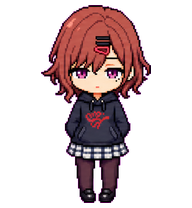
A cool, cynical chibi digital pet inspired by Higuchi Madoka, with restrained deadpan idol energy.

16000Updated 22 août 2026
Download
PET·ORBITB listed
Orbit preview
external
Orbit

By 0x436861

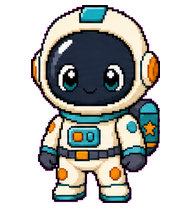
A tiny stylish astronaut Codex pet.

12000Updated 24 août 2026
Download
PET·KATOME listed
kato-megumi preview
external
kato-megumi

By mtk8100

The heroine from the anime 'Saekano: How to Raise a Boring Girlfriend', Kato Megumi.

13000Updated 25 août 2026
Download
PET·SOLAAO listed
Sola Aoi preview
external
Sola Aoi

By deeka

A friendly Codex digital pet inspired by the reference photo: short black bob hair, warm smile, and a small green-blue patterned outfit detail.

19000Updated 24 août 2026
Download
PET·CHIBIW listed
Chibi Warrior Knight preview
external

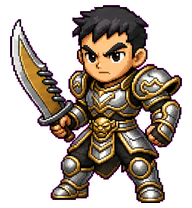
A compact Metin2-inspired armored swordsman pet with a broad blade, guarded stance, and heroic warrior-class combat gestures.


11000Updated 22 août 2026
Download
PET·DEEKA0 listed
Deeka preview
external
Deeka

By deeka

A focused Codex-style chibi coder pet with black hair, black rectangular glasses, an orange sweater, and a small gray laptop.

8000Updated 22 août 2026
Download
PET·CODEXP listed
美树沙耶香 preview
external
美树沙耶香

By mtk8100

A chibi Codex pet of Sayaka Miki from Puella Magi Madoka Magica, lively and heroic in blue-and-white magical girl attire.

18100Updated 25 août 2026
Download
PET·ARIMAK listed
Arima Kana preview
external
Arima Kana

By saitomunir808

Arima Kana as portrayed in the manga Oshi no Ko: a 17-year-old genius former child actress and the lead singer of the new B-Komachi.

13000Updated 24 août 2026
Download
PET·THEBOO listed
The Bookmark This Guy preview
external

A mustached bookmark-cursor companion holding a garlic bulb, inspired by the provided portrait reference.


6000Updated 25 août 2026
Download
PET·TOMORI listed
Tomori preview
external
Tomori

By TomoriIsUrGod

A compact Codex pet based on the Tomori rounded black-and-white face mark, animated only through eye expression and soft body-shape changes.

20000Updated 24 août 2026
Download
PET·BERNIE listed
Bernie preview
external
Bernie

By xanderwalker

A tiny Formula 1 paddock boss with silver hair, round tinted glasses, a crisp white shirt, black trousers, and a no-nonsense stride.

17000Updated 24 août 2026
Download
PET·LANDO1 listed
Lando preview
external
Lando

By xanderwalker

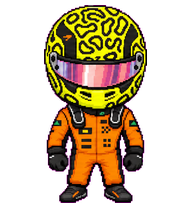
A tiny helmeted racing-driver pet inspired by Lando Norris in an orange race suit and neon yellow patterned helmet.

17100Updated 24 août 2026
Download

Qu'est-ce que les Codex Pets ?

Les Codex Pets sont des compagnons virtuels qui vivent dans votre terminal OpenAI Codex CLI. Utilisez /pet hatch pour faire éclore une nouvelle mascotte, ou installez un package personnalisé pour personnaliser votre compagnon de codage. Les Codex Pets personnalisés sont définis par un fichier pet.json et une image spritesheet.webp — n'importe qui peut en créer et partager. Parcourez la galerie ci-dessus pour trouver des mascottes créées par la communauté, copiez la commande d'installation et exécutez-la dans Codex pour obtenir votre nouveau compagnon.

Questions fréquentes

Comment installer un Codex Pet personnalisé ?
Copiez la commande d'installation depuis n'importe quelle liste de mascottes sur cette page, puis exécutez-la dans votre session OpenAI Codex CLI. La mascotte remplacera votre compagnon actuel.
Comment faire éclore un Codex Pet ?
Dans le CLI Codex, tapez /pet hatch pour faire éclore une nouvelle mascotte depuis vos packages disponibles.
Comment créer un Codex Pet personnalisé ?
Un Codex Pet nécessite deux fichiers : pet.json (métadonnées et configuration d'animation) et spritesheet.webp (frames de sprite). Hébergez-les dans un dépôt GitHub public et soumettez-le ici pour examen.
À quoi servent les Codex Pets ?
Les Codex Pets sont des compagnons animés visibles dans la barre latérale du CLI Codex. Ils grandissent, s'animent et réagissent pendant que vous codez.