CLI·EDGEDR listed

Edge Drop
edgedrop.app
Clipboard on your screen edge. Hover to open, drag to drop
Coding Agent CLI
 MCP Hub
Email, calendar, and contacts for AI agents
Free listing links are nofollow. Owners can unlock a permanent dofollow backlink.
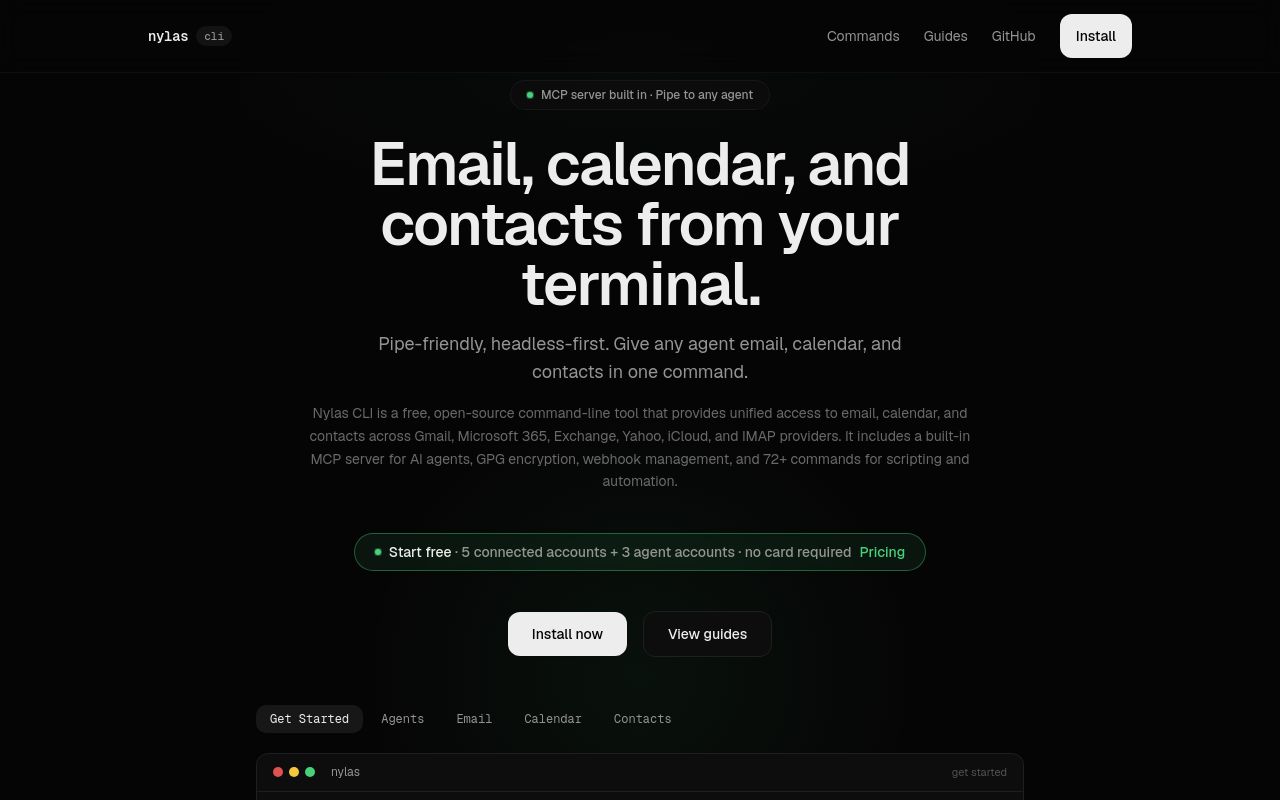
The Nylas CLI is a command-line interface tool designed to integrate AI agents with email, calendar, and contact management systems. Built for developers, it simplifies interactions with Nylas APIs, enabling automation of communication workflows. With a Product Hunt tagline highlighting its role as "Email, calendar, and contacts for AI agents," this tool is gaining traction among developers working on AI-driven productivity solutions.
Nylas CLI is particularly useful for automating repetitive tasks, syncing data across platforms, and enhancing AI agent capabilities with real-time communication features. Whether you're building a personal assistant bot or a team scheduling automation tool, Nylas CLI provides the necessary backend connectivity.
In this guide, we’ll explore its functionality, installation steps, use cases, and alternatives—helping you determine if it’s the right fit for your project.
The Nylas CLI serves as a bridge between AI agents and communication platforms, offering programmatic access to email, calendar, and contact management. It leverages the Nylas API, a powerful backend service that connects to major providers like Gmail, Outlook, and iCloud.
Key features include:
- Email Automation – Send, receive, and manage emails directly from the command line.
- Calendar Sync – Schedule, modify, and retrieve events across multiple calendars.
- Contact Management – Access and update contact lists programmatically.
- AI Agent Integration – Designed specifically for AI-driven workflows, allowing bots to interact with emails and calendars seamlessly.
Unlike generic CLI tools, Nylas CLI is optimized for AI agent development, making it a strong choice for developers building automated scheduling assistants, customer support bots, or internal productivity tools.
The Nylas CLI is available for download from its official website (cli.nylas.com). While exact installation commands are not publicly documented without an account, the process typically involves:
nylas emails list (fetch emails)
- nylas events create (schedule a meeting)
- nylas contacts search (find a contact)
Since Nylas CLI interacts with sensitive data, proper OAuth 2.0 authentication is enforced for security. Developers can refer to the official GitHub repository (linked on the website) for SDK documentation and community support.
The Nylas CLI is versatile, catering to multiple AI-driven automation scenarios:
Automate meeting bookings by letting AI agents read emails, detect scheduling requests, and update calendars—eliminating manual back-and-forth.
Bots can parse incoming support emails, categorize them, and trigger predefined responses or escalate issues based on content.
Sync team calendars to auto-generate reports on availability, track project deadlines, or send automated reminders.
AI agents can log interactions, update contact details, and trigger follow-ups based on email engagement.
For startups and enterprises alike, Nylas CLI reduces the need for custom API integrations, accelerating development timelines.
When assessing whether Nylas CLI is the right tool for your project, consider:
- Does it support your preferred email/calendar provider?
- Is the authentication workflow straightforward?
- Does it offer webhook support for real-time event handling?
- Are there rate limits that could hinder scalability?
- Is the GitHub repository actively maintained?
- Are there community forums or enterprise support options?
- Does it comply with GDPR or other data protection regulations?
- How are API keys and OAuth tokens managed?
Given its commercial intent score of 40, Nylas CLI is positioned more toward developers than end-users, meaning technical proficiency is required.
While Nylas CLI excels in AI agent integration, alternatives exist for different needs:
- Focuses on email automation but lacks calendar/contact features.
- Better suited for transactional email workflows.
- Requires more setup but offers deeper Gmail-specific functionality.
- No built-in multi-provider support like Nylas.
- Ideal for Office 365-centric workflows.
- Steeper learning curve for non-Microsoft ecosystems.
- Low-code automation but less developer-centric.
- Supports broader app integrations beyond email/calendar.
For AI agents needing multi-provider email/calendar access, Nylas CLI remains a top contender.
Nylas offers a tiered pricing model, but the CLI itself is free to download. API calls may require a paid plan depending on usage.
Yes, it supports major providers, including Gmail, Outlook, and iCloud, via the Nylas universal API.
No, it’s designed for developers familiar with CLI tools and API integrations.
Yes, automated directory listings (including this one) use nofollow tags for outbound links to comply with SEO best practices.
It enforces OAuth 2.0 and token-based authentication, ensuring secure access to email and calendar data.
For further questions, visit the Nylas CLI website or explore their Product Hunt launch page for community discussions.
The Nylas CLI is a robust tool for developers building AI agents that interact with emails, calendars, and contacts. Its multi-provider support and automation-friendly design make it a strong choice for productivity-focused applications.
If you're evaluating CLI tools for AI-driven communication workflows, Nylas CLI warrants serious consideration—especially if you need seamless integration across Gmail, Outlook, and other platforms.
For updates, check their GitHub repository or follow their Product Hunt page (85+ votes at launch).
Email, calendar, and contacts for AI agents
No verified install command is listed yet. Use the official project link or repository for setup instructions.
Email, calendar, and contacts for AI agents
No verified install command is listed yet. Use the official project link or repository for setup instructions.
edgedrop.app
Clipboard on your screen edge. Hover to open, drag to drop

openclix.ai
Agent-driven retention flows for mobile apps.

docs.firecrawl.dev
The complete web data toolkit for AI agents