
Browse Codex Pets
Discover custom pet packages for OpenAI Codex CLI and Claude Code. Copy install commands, browse community pets, and open source packages.

By seymour
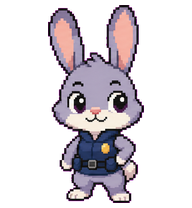
A woozy but professional chef Codex pet with red tired eyes, smoke-stained toque, and composed culinary confidence.

By cfw9021
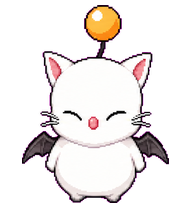
A miniature pixel-art Codex pet inspired by an FFXIV Moogle. Chibi-style round white body with no mouth; iconic features include closed squinting eyes, a soft pink nose, and cat-like whiskers. It sports a floating orange pom-pom on a wire-thin antenna and tiny dark bat wings

By seymour
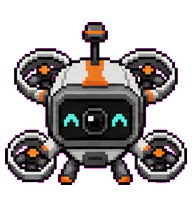
A scruffy Pooh-like brown bear digital pet with sleepy dark eyes, a round black nose, tiny black ears, wiry sketch hairs, and awkward little limbs.

By xream
a compact Codex digital pet based on Akitsuki Airi (あきつき あいり)

By krnomad
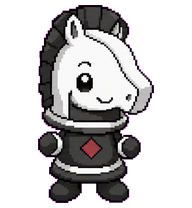
A tiny orange Pomeranian companion with round glossy eyes and a brown plaid harness.



What Are Codex Pets?
Codex pets are virtual companions that live in your OpenAI Codex CLI terminal. Use /pet hatch to hatch a new pet, or install a custom pet package to personalize your coding companion. Custom Codex pets are defined by a pet.json file and a spritesheet.webp image — anyone can create and share one. Browse the gallery above to find community-made pets, copy the install command, and run it inside Codex to get your new companion.
Frequently Asked Questions
- How do I install a custom Codex pet?
- Copy the install command from any pet listing on this page, then run it inside your OpenAI Codex CLI session. The pet will replace your current companion.
- How do I hatch a Codex pet?
- Inside the Codex CLI, type /pet hatch to hatch a new pet from your available packages.
- How do I create a custom Codex pet?
- A Codex pet requires two files: pet.json (metadata and animation config) and spritesheet.webp (sprite frames). Host both in a public GitHub repo and submit it here for review.
- What do Codex pets do?
- Codex pets are animated companions visible in the Codex CLI sidebar. They grow, animate, and react as you code.