
Codex Pets for AI Coding Workflows
Browse community Codex Pets, copy install commands, open source links, and learn how to create or share custom pet packages for OpenAI Codex CLI workflows.

By K4tNoeJ
"Jujutsu sorcerers are trash. Working at a company is trash. If both are equally trash, I'll choose the one I'm more suited for." Kento Nanami is a fan-favorite character in Jujutsu Kaisen. He is a Grade 1 sorcerer who stands out for his pragmatic, highly professional, and reali


By whzhao
An elegant adult-proportioned animated Uta-inspired Codex pet based faithfully on the supplied character reference.

By whzhao
A compact animated Codex pet faithfully based on the supplied Uta character reference.


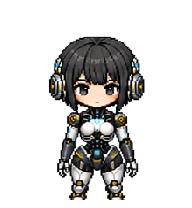
By zhero
ASH is a character from the animated series Ling Cage and its derivative works. She is the super artificial intelligence of Jiuchuan City from the Old World. Her full designation is “Advcaced Species Of Human.” Created by Jiuchuan City mayor Bai Jingyu.
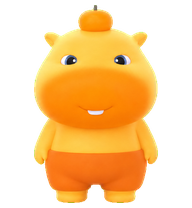

By magixixi
《败犬女主太多了》中的八奈见杏菜Q版像素风Codex桌宠。An unofficial fan-made chibi pixel-art Codex pet inspired by Anna Yanami from Makeine: Too Many Losing Heroines!, featuring playful food-themed reactions and coding animations.
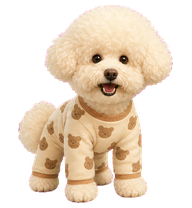


By j3rbski
A righteous chibi humanoid sentinel in pristine white-and-gold plate armor, fiercely protective and bound by a cute but strict code of honor.
Codex Pets resources for AI agent workflows
Explore the connections between the Codex Pets hub, specialized Claude Skills, and open-source developer tools.
AI coding workflow skill
Explore advanced AI coding workflows and learn how custom pet packages can fit into your developer setup.
MarkItDown MCP Claude Skill
Convert common file formats to Markdown for cleaner AI-agent and Codex Pets workflows.
Turborepo workflow skill
Optimize monorepo build pipelines and JavaScript or TypeScript workflows alongside custom pet companions.
AI agent setup skill
Configure AI agents with practical setup guidance and terminal companion examples.
What Are Codex Pets?
Codex Pets are virtual companions that live in your OpenAI Codex CLI terminal. Use /pet hatch to hatch a new pet, install a custom pet package, or share your own pet.json and spritesheet.webp package from a public GitHub repository. This hub brings together GitHub, custom pets, sharing, and install examples so AI coding teams can find community pets, inspect source links, copy install commands, and submit new packages from one AIMCP page.
Frequently Asked Questions
- How do I install a custom Codex pet?
- Copy the install command from any pet listing on this page, then run it inside your OpenAI Codex CLI session. The pet will replace your current companion.
- How do I hatch a Codex pet?
- Inside the Codex CLI, type /pet hatch to hatch a new pet from your available packages.
- How do I create a custom Codex pet?
- A Codex pet requires two files: pet.json (metadata and animation config) and spritesheet.webp (sprite frames). Host both in a public GitHub repo and submit it here for review.
- Where can I find GitHub, custom pets, sharing, and install examples?
- Use the Codex Pets hub to browse community packages, open GitHub source links, copy install commands, compare examples, and submit a custom pet package for review.
- What do Codex pets do?
- Codex pets are animated companions visible in the Codex CLI sidebar. They grow, animate, and react as you code.