
Codex Pets for AI Coding Workflows
Browse community Codex Pets, copy install commands, open source links, and learn how to create or share custom pet packages for OpenAI Codex CLI workflows.
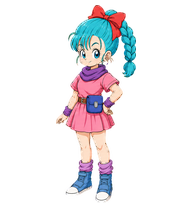
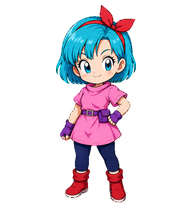
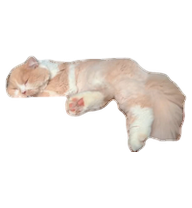
By puzige
Transparent video-style cream cat pet upgraded with expressive clockwise looking directions.
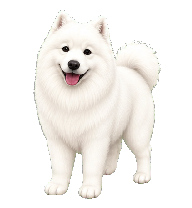
By wan
This ultra-fluffy white Samoyed is here to brighten your screen with perky ears, a boopable black nose, and that iconic, heartwarming Sammy smile. The perfect little companion to keep you company while you work, study, or play

By blitzzz
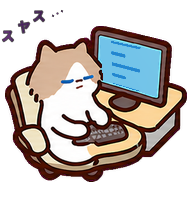
Review Cat refined with readable aubergine-purple diagonal pressure typography, expressive punctuation, fast typing, and smooth workstation-safe look directions.

By lzz
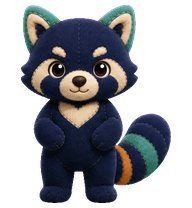
Animated bronze Boshan incense burner Codex pet with cyan patina and rising smoke.

By agnes
A tiny 3D toy-style Codex pet inspired by Kim Kardashian, with long center-parted black hair, an elegant black gown, and a calm confident expression.

By flyfishxu
Mahiro Oyama, your cheerful coding companion who helps with programming, debugging, and learning.


By K4tNoeJ
"I wanted to believe that the law can save people." Hiromi Higuruma is one of the most compelling and brilliant characters introduced in the Culling Game arc of the hit manga and anime series, Jujutsu Kaisen.
Codex Pets resources for AI agent workflows
Explore the connections between the Codex Pets hub, specialized Claude Skills, and open-source developer tools.
AI coding workflow skill
Explore advanced AI coding workflows and learn how custom pet packages can fit into your developer setup.
MarkItDown MCP Claude Skill
Convert common file formats to Markdown for cleaner AI-agent and Codex Pets workflows.
Turborepo workflow skill
Optimize monorepo build pipelines and JavaScript or TypeScript workflows alongside custom pet companions.
AI agent setup skill
Configure AI agents with practical setup guidance and terminal companion examples.
What Are Codex Pets?
Codex Pets are virtual companions that live in your OpenAI Codex CLI terminal. Use /pet hatch to hatch a new pet, install a custom pet package, or share your own pet.json and spritesheet.webp package from a public GitHub repository. This hub brings together GitHub, custom pets, sharing, and install examples so AI coding teams can find community pets, inspect source links, copy install commands, and submit new packages from one AIMCP page.
Frequently Asked Questions
- How do I install a custom Codex pet?
- Copy the install command from any pet listing on this page, then run it inside your OpenAI Codex CLI session. The pet will replace your current companion.
- How do I hatch a Codex pet?
- Inside the Codex CLI, type /pet hatch to hatch a new pet from your available packages.
- How do I create a custom Codex pet?
- A Codex pet requires two files: pet.json (metadata and animation config) and spritesheet.webp (sprite frames). Host both in a public GitHub repo and submit it here for review.
- Where can I find GitHub, custom pets, sharing, and install examples?
- Use the Codex Pets hub to browse community packages, open GitHub source links, copy install commands, compare examples, and submit a custom pet package for review.
- What do Codex pets do?
- Codex pets are animated companions visible in the Codex CLI sidebar. They grow, animate, and react as you code.