
Browse Codex Pets
Discover custom pet packages for OpenAI Codex CLI and Claude Code. Copy install commands, browse community pets, and open source packages.
By ngquocnhat9317
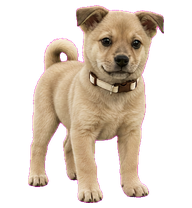
A compact Codex pet based on a small cream-colored puppy with folded ears, dark round eyes, a short muzzle, a curled tail, and a brown collar with light tags.

By Anthropic
A cheerful pixel martial-arts boy with spiky hair, orange gi, and a red staff for focused coding sessions.

By jianwu
A cute white-and-black cat desktop pet with big yellow-green eyes, pink ears and nose, and a signature black patch over one eyebrow.
By jianwu
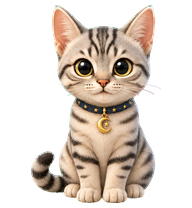
A cute Codex pet version of your silver tabby with a moon charm collar.

By StellarCoffee
A crisp chibi-style AR15 Codex pet based on the uploaded anime tactical operator reference, optimized to fill each 192x208 cell.AR15,one of team members of AR from GF.She's very special among others not just with her experiences, but with her strong dignity to prove herself.

By romeoboat
A polite 3D chibi officer companion in a white Thai ceremonial uniform.

By hjlee
A cute slim white Maltese-like dog pet named mandu, with floppy ears, black eyes, a yellow collar, and rolling left/right movement.



By Cyril_Leo
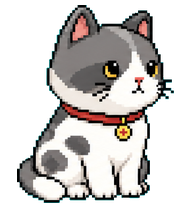
Cute chibi pixel gray-black wolf puppy with drooping ears, fluffy gray forelock, blue scarf, and reliable tsundere personality.

What Are Codex Pets?
Codex pets are virtual companions that live in your OpenAI Codex CLI terminal. Use /pet hatch to hatch a new pet, or install a custom pet package to personalize your coding companion. Custom Codex pets are defined by a pet.json file and a spritesheet.webp image — anyone can create and share one. Browse the gallery above to find community-made pets, copy the install command, and run it inside Codex to get your new companion.
Frequently Asked Questions
- How do I install a custom Codex pet?
- Copy the install command from any pet listing on this page, then run it inside your OpenAI Codex CLI session. The pet will replace your current companion.
- How do I hatch a Codex pet?
- Inside the Codex CLI, type /pet hatch to hatch a new pet from your available packages.
- How do I create a custom Codex pet?
- A Codex pet requires two files: pet.json (metadata and animation config) and spritesheet.webp (sprite frames). Host both in a public GitHub repo and submit it here for review.
- What do Codex pets do?
- Codex pets are animated companions visible in the Codex CLI sidebar. They grow, animate, and react as you code.