
Codex Pets for AI Coding Workflows
Browse community Codex Pets, copy install commands, open source links, and learn how to create or share custom pet packages for OpenAI Codex CLI workflows.
By mar-luce
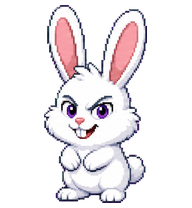
Coelho branco pixel art inspirado no Bola de Neve de Pets, com 16 direções de olhar e animações travessas.
By gabe
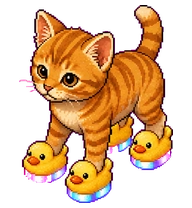
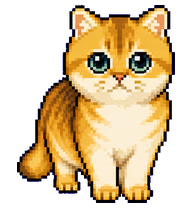
An orange kitten Codex pet wearing glowing duck slippers.

By saiberbest
Болотная хранительница скриптов и странных логов.

By water_long
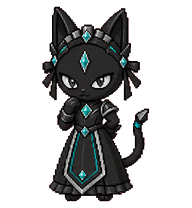
Lacey is a delicate chibi bridal desktop pet animated with Qingmei-style idle, run, wave, jump, shy, and coy gesture motions. She wears a translucent bridal veil, pearl chains, ivory lace dress, lace stockings, and tiny white wedding heels.

Codex Pets resources for AI agent workflows
Explore the connections between the Codex Pets hub, specialized Claude Skills, and open-source developer tools.
AI coding workflow skill
Explore advanced AI coding workflows and learn how custom pet packages can fit into your developer setup.
MarkItDown MCP Claude Skill
Convert common file formats to Markdown for cleaner AI-agent and Codex Pets workflows.
Turborepo workflow skill
Optimize monorepo build pipelines and JavaScript or TypeScript workflows alongside custom pet companions.
AI agent setup skill
Configure AI agents with practical setup guidance and terminal companion examples.
What Are Codex Pets?
Codex Pets are virtual companions that live in your OpenAI Codex CLI terminal. Use /pet hatch to hatch a new pet, install a custom pet package, or share your own pet.json and spritesheet.webp package from a public GitHub repository. This hub brings together GitHub, custom pets, sharing, and install examples so AI coding teams can find community pets, inspect source links, copy install commands, and submit new packages from one AIMCP page.
Frequently Asked Questions
- How do I install a custom Codex pet?
- Copy the install command from any pet listing on this page, then run it inside your OpenAI Codex CLI session. The pet will replace your current companion.
- How do I hatch a Codex pet?
- Inside the Codex CLI, type /pet hatch to hatch a new pet from your available packages.
- How do I create a custom Codex pet?
- A Codex pet requires two files: pet.json (metadata and animation config) and spritesheet.webp (sprite frames). Host both in a public GitHub repo and submit it here for review.
- Where can I find GitHub, custom pets, sharing, and install examples?
- Use the Codex Pets hub to browse community packages, open GitHub source links, copy install commands, compare examples, and submit a custom pet package for review.
- What do Codex pets do?
- Codex pets are animated companions visible in the Codex CLI sidebar. They grow, animate, and react as you code.