CLI·EDGEDR listed

Edge Drop
edgedrop.app
Clipboard on your screen edge. Hover to open, drag to drop
Coding Agent CLI
 MCP Hub
The complete web data toolkit for AI agents
Free listing links are nofollow. Owners can unlock a permanent dofollow backlink.
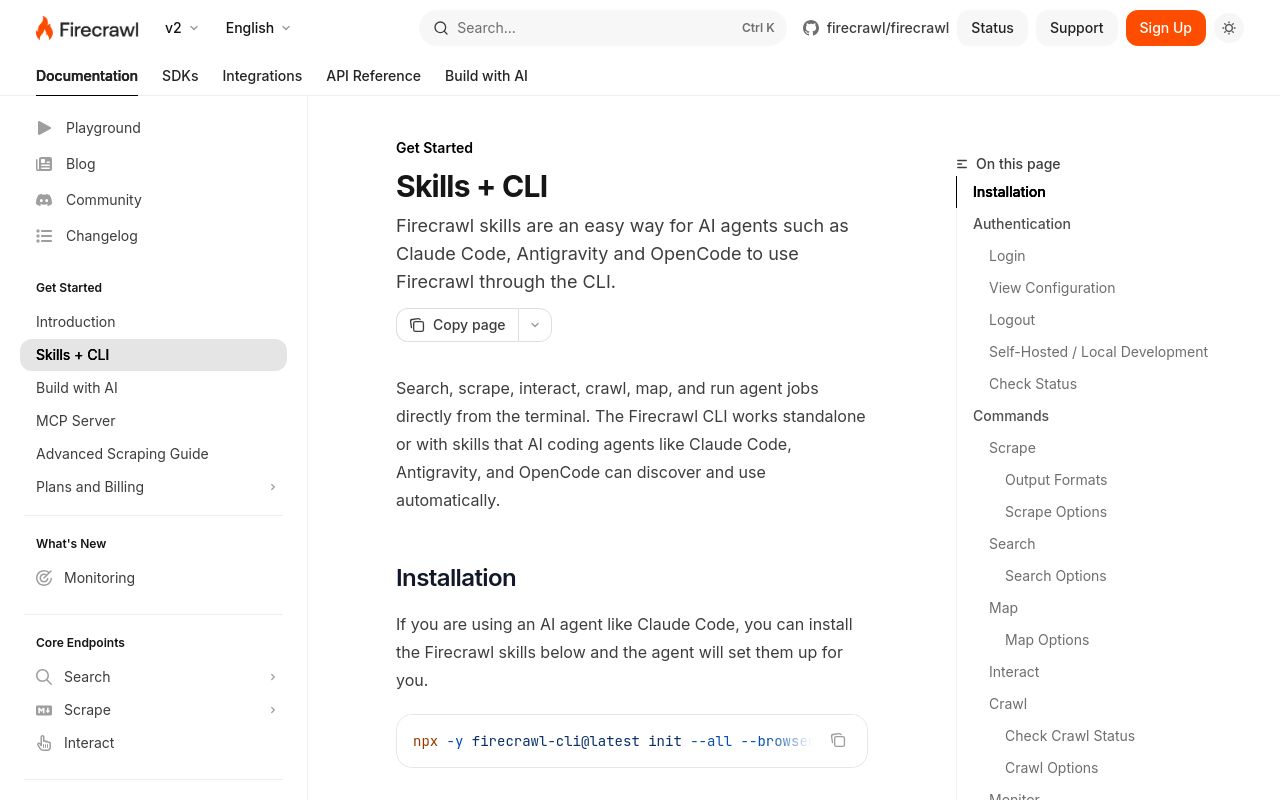
Firecrawl CLI is a powerful command-line interface tool designed to help developers and AI agents extract, process, and manage web data efficiently. As part of the Firecrawl ecosystem, this tool simplifies web scraping, data extraction, and structured content retrieval, making it a valuable asset for AI-driven workflows. With a strong 78 domain rating and 258 votes on Product Hunt, Firecrawl CLI has gained recognition as a reliable solution for developers working with web data.
This article explores what Firecrawl CLI does, how to install and use it, key use cases, evaluation criteria, alternatives, and frequently asked questions.
Firecrawl CLI is a developer-focused tool that enables seamless extraction and processing of web data for AI agents and automation pipelines. It provides a command-line interface to interact with Firecrawl’s web scraping and data extraction APIs, allowing users to:
- Scrape and extract structured data from websites without writing complex parsing logic.
- Crawl multiple pages in a domain, following links to gather comprehensive datasets.
- Clean and normalize extracted content, making it ready for AI models and data analysis.
- Handle dynamic content (JavaScript-rendered pages) through built-in browser automation.
Unlike generic web scrapers, Firecrawl CLI is optimized for AI agent workflows, ensuring that extracted data is formatted for machine learning, natural language processing, and other AI-driven applications.
Firecrawl CLI is available as a Node.js package, making it easy to install via npm. The official Firecrawl CLI documentation provides detailed setup instructions.
Once installed, users can interact with Firecrawl CLI through a set of intuitive commands:
- Scrape a single URL:
firecrawl scrape --url https://example.com
- Crawl an entire domain:
firecrawl crawl --url https://example.com --maxPages 10
- Extract and structure data using predefined schemas:
firecrawl extract --url https://example.com --schema article
The tool supports authentication, rate limiting, and custom headers, ensuring compliance with website policies while maximizing data retrieval efficiency.
Firecrawl CLI is versatile and can be applied in various scenarios:
AI models require large, structured datasets for training. Firecrawl CLI simplifies the collection of text, metadata, and structured content from websites, making it ideal for NLP, recommendation systems, and knowledge graphs.
Businesses can use Firecrawl CLI to monitor competitors, track pricing changes, and gather industry trends without manual data collection.
Developers and marketers can extract article content, meta tags, and backlink data to analyze SEO performance or build content aggregators.
By integrating Firecrawl CLI into CI/CD workflows, teams can automate data extraction for reports, dashboards, and real-time analytics.
When assessing Firecrawl CLI against other web scraping tools, consider:
- Ease of Use: The CLI interface is developer-friendly, with clear commands and documentation.
- Scalability: Supports batch processing and large-scale crawls without manual intervention.
- Data Quality: Provides clean, structured output optimized for AI consumption.
- Compliance: Respectsrobots.txt and offers rate-limiting to avoid IP bans.
- Integration: Works well with AI pipelines, databases, and automation tools.
Compared to alternatives like Scrapy or BeautifulSoup, Firecrawl CLI reduces boilerplate code and focuses on AI-ready data extraction.
While Firecrawl CLI is a strong choice, other tools serve similar purposes:
- Scrapy: A Python-based framework for large-scale web scraping (more complex setup).
- BeautifulSoup + Requests: Lightweight but requires manual parsing logic.
- Apify: A cloud-based scraping platform with a visual editor (higher cost).
- Diffbot: AI-powered extraction API (more expensive but highly accurate).
Firecrawl CLI stands out for its balance of simplicity, performance, and AI integration.
The pricing model is not explicitly stated in the available sources. Check the official website for the latest details.
Yes, Firecrawl CLI can handle dynamic content by leveraging built-in browser automation.
Yes, but ensure compliance with target websites’ terms of service.
Firecrawl CLI reduces development time by handling request management, parsing, and data cleaning automatically.
rel="nofollow" for SEO compliance.
Firecrawl CLI is a robust tool for developers and AI practitioners who need structured web data without extensive coding. Its command-line efficiency, AI-friendly output, and scalability make it a compelling choice in the web scraping landscape. For more details, visit the official documentation.
The complete web data toolkit for AI agents
No verified install command is listed yet. Use the official project link or repository for setup instructions.
The complete web data toolkit for AI agents
No verified install command is listed yet. Use the official project link or repository for setup instructions.
edgedrop.app
Clipboard on your screen edge. Hover to open, drag to drop

openclix.ai
Agent-driven retention flows for mobile apps.

github.com
CLI for Google Workspace ecosystem built for humans & agents